Old Computer-related pictures and photos

» Museum » Portable » Omnibook 2000ct


Previous picture Picture 16 of 22 Next picture
gal/Museum/Portable/Omnibook_2000ct/016.jpg
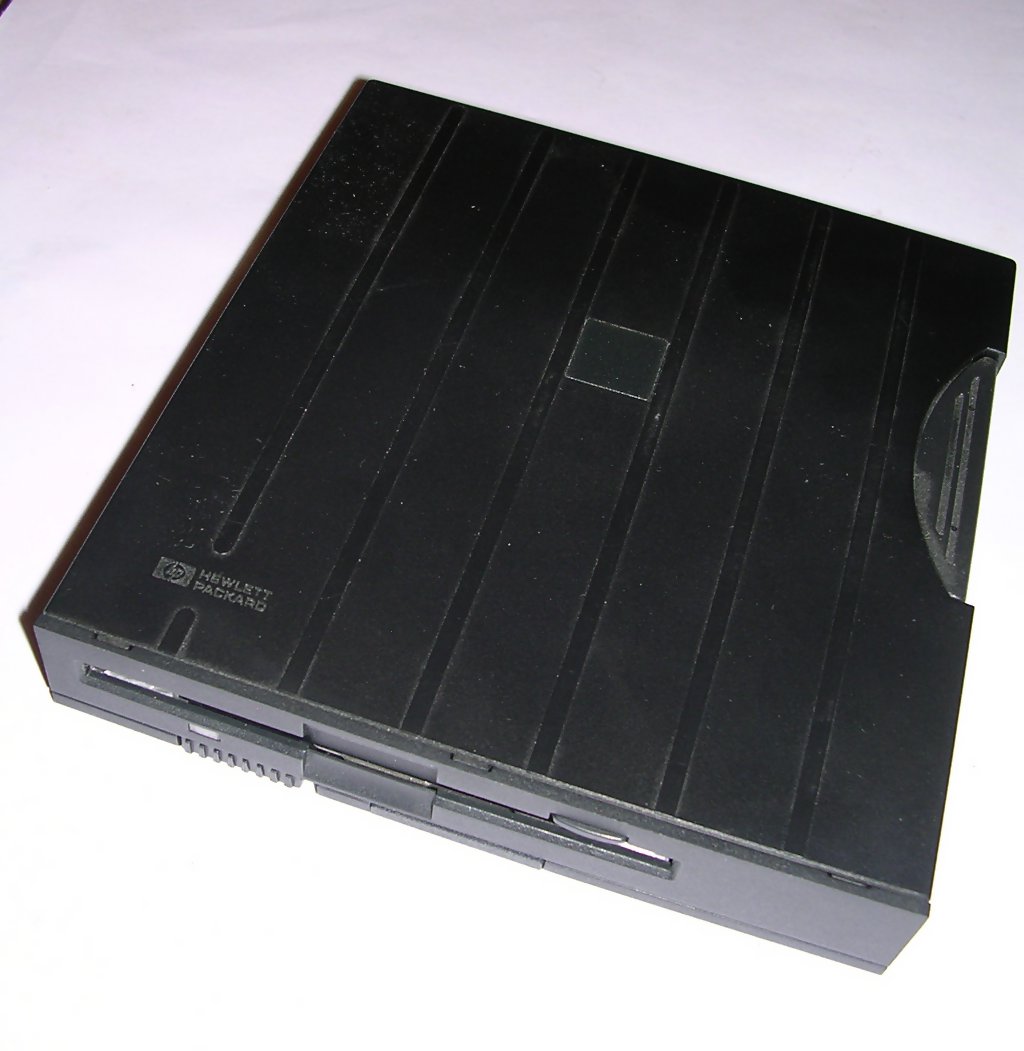
  Floppy drive
gal/Museum/Portable/Omnibook_2000ct/_thb_001.jpg
General view
gal/Museum/Portable/Omnibook_2000ct/_thb_002.jpg
Closed
gal/Museum/Portable/Omnibook_2000ct/_thb_003.jpg
Front sticker
gal/Museum/Portable/Omnibook_2000ct/_thb_004.jpg
Keyboard
gal/Museum/Portable/Omnibook_2000ct/_thb_005.jpg
Indicators
gal/Museum/Portable/Omnibook_2000ct/_thb_006.jpg
Designed for Windows 95 sticker
gal/Museum/Portable/Omnibook_2000ct/_thb_007.jpg
PCMCIA and sound connectors
gal/Museum/Portable/Omnibook_2000ct/_thb_008.jpg
Left: Power, reset under it, LPT and power off switch.
gal/Museum/Portable/Omnibook_2000ct/_thb_009.jpg
CD-ROM drive
gal/Museum/Portable/Omnibook_2000ct/_thb_010.jpg
Removing CD-ROM drive from computer
gal/Museum/Portable/Omnibook_2000ct/_thb_011.jpg
Rear: Game port, IR, COM, PS/2, VGA, dock.
gal/Museum/Portable/Omnibook_2000ct/_thb_012.jpg
CD-ROM drive
gal/Museum/Portable/Omnibook_2000ct/_thb_013.jpg
CD-ROM connector
gal/Museum/Portable/Omnibook_2000ct/_thb_014.jpg
Battery
gal/Museum/Portable/Omnibook_2000ct/_thb_015.jpg
Bottom sticker. Notice BIOS cover.
gal/Museum/Portable/Omnibook_2000ct/_thb_016.jpg
Floppy drive
gal/Museum/Portable/Omnibook_2000ct/_thb_017.jpg
It can be connected with special parallel port
gal/Museum/Portable/Omnibook_2000ct/_thb_018.jpg
RAM modules
gal/Museum/Portable/Omnibook_2000ct/_thb_019.jpg
16MB RAM module
gal/Museum/Portable/Omnibook_2000ct/_thb_020.jpg
CPU module
gal/Museum/Portable/Omnibook_2000ct/_thb_021.jpg
Connector side
gal/Museum/Portable/Omnibook_2000ct/_thb_022.jpg
System information
Disabled first thumbnail page · Disabled previous thumbnail page · 1 · Disabled next thumbnail page · Disabled last thumbnail page

All pictures are: Licencja Creative Commons.