Old Computer-related pictures and photos

» Museum » PC » Compaq CDS510


Previous picture Picture 20 of 25 Next picture
gal/Museum/PC/Compaq_CDS510/020.jpg
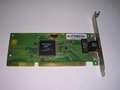
  3Com network card
gal/Museum/PC/Compaq_CDS510/_thb_001.jpg
General view
gal/Museum/PC/Compaq_CDS510/_thb_002.jpg
Front
gal/Museum/PC/Compaq_CDS510/_thb_003.jpg
Floppy drive
gal/Museum/PC/Compaq_CDS510/_thb_004.jpg
Volume buttons and CD drive
gal/Museum/PC/Compaq_CDS510/_thb_005.jpg
Keyboard - non-original
gal/Museum/PC/Compaq_CDS510/_thb_006.jpg
Keyboard seems to be newer
gal/Museum/PC/Compaq_CDS510/_thb_007.jpg
Bottom of keyboard
gal/Museum/PC/Compaq_CDS510/_thb_008.jpg
Compaq mouse
gal/Museum/PC/Compaq_CDS510/_thb_009.jpg
and its underside
gal/Museum/PC/Compaq_CDS510/_thb_010.jpg
Contrast, brightness and H-shift knobs
gal/Museum/PC/Compaq_CDS510/_thb_011.jpg
In the rear, everything is described well.
gal/Museum/PC/Compaq_CDS510/_thb_012.jpg
Rear sticker
gal/Museum/PC/Compaq_CDS510/_thb_013.jpg
Mainboard
gal/Museum/PC/Compaq_CDS510/_thb_014.jpg
Intel upgrade CPU
gal/Museum/PC/Compaq_CDS510/_thb_015.jpg
Connector, probably forv some upgrade
gal/Museum/PC/Compaq_CDS510/_thb_016.jpg
RAM and video chip
gal/Museum/PC/Compaq_CDS510/_thb_017.jpg
RAM seems to be IBM-Compaq one
gal/Museum/PC/Compaq_CDS510/_thb_018.jpg
Information in the mainboard's chassis
gal/Museum/PC/Compaq_CDS510/_thb_019.jpg
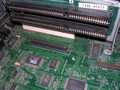
Mainboard slides into this part of casing
gal/Museum/PC/Compaq_CDS510/_thb_020.jpg
3Com network card
gal/Museum/PC/Compaq_CDS510/_thb_021.jpg
Front of computer with bezel removed
gal/Museum/PC/Compaq_CDS510/_thb_022.jpg
Floppy drive
gal/Museum/PC/Compaq_CDS510/_thb_023.jpg
Quite complex mechanism to push the disk out from drive.
gal/Museum/PC/Compaq_CDS510/_thb_024.jpg
BIOS Setup from setup partition
gal/Museum/PC/Compaq_CDS510/_thb_025.jpg
Configuring in BIOS Setup
Disabled first thumbnail page · Disabled previous thumbnail page · 1 · Disabled next thumbnail page · Disabled last thumbnail page

All pictures are: Licencja Creative Commons.